Fender Mustang LT25 Review: 25W Modeling Combo with Real-World Tones
The Fender Mustang LT25 sits in that crowded space between tiny desk amps and full-size combos. It is a 25W 1×8″ digital modeling combo with 20 amp models, 25 effects and USB recording, sold as a “greatest hits” box of Fender tones. On paper it does a bit of everything. The real question is how well it holds up when you actually live with it.
In this Fender Mustang LT25 review we will look at the amp as a day-to-day tool: how it sounds, how the presets behave, what USB and the Fender Tone desktop app really add, and how it compares to other small combos like the Blackstar ID:Core 10 V4 and compact modelers.
Specs & Feature Overview
- Power: 25W solid-state
- Speaker: 1 × 8″ Fender Special Design guitar speaker
- Models & effects: 20 amp models, 25 effect types, 30 factory presets (up to 60 with newer firmware)
- Controls: gain, volume, bass, middle, treble, master, encoder knob and a small color display
- I/O: guitar input, 1/8″ aux in, 1/8″ headphone/line out, USB for recording and firmware updates, footswitch input
- Extras: built-in tuner, tap tempo, support for Fender Tone desktop app
- Size / weight: compact wooden cabinet, roughly 15 lb range
So in terms of features, the LT25 aims to be a self-contained practice and recording combo rather than a stripped-down starter amp.
Build & Design
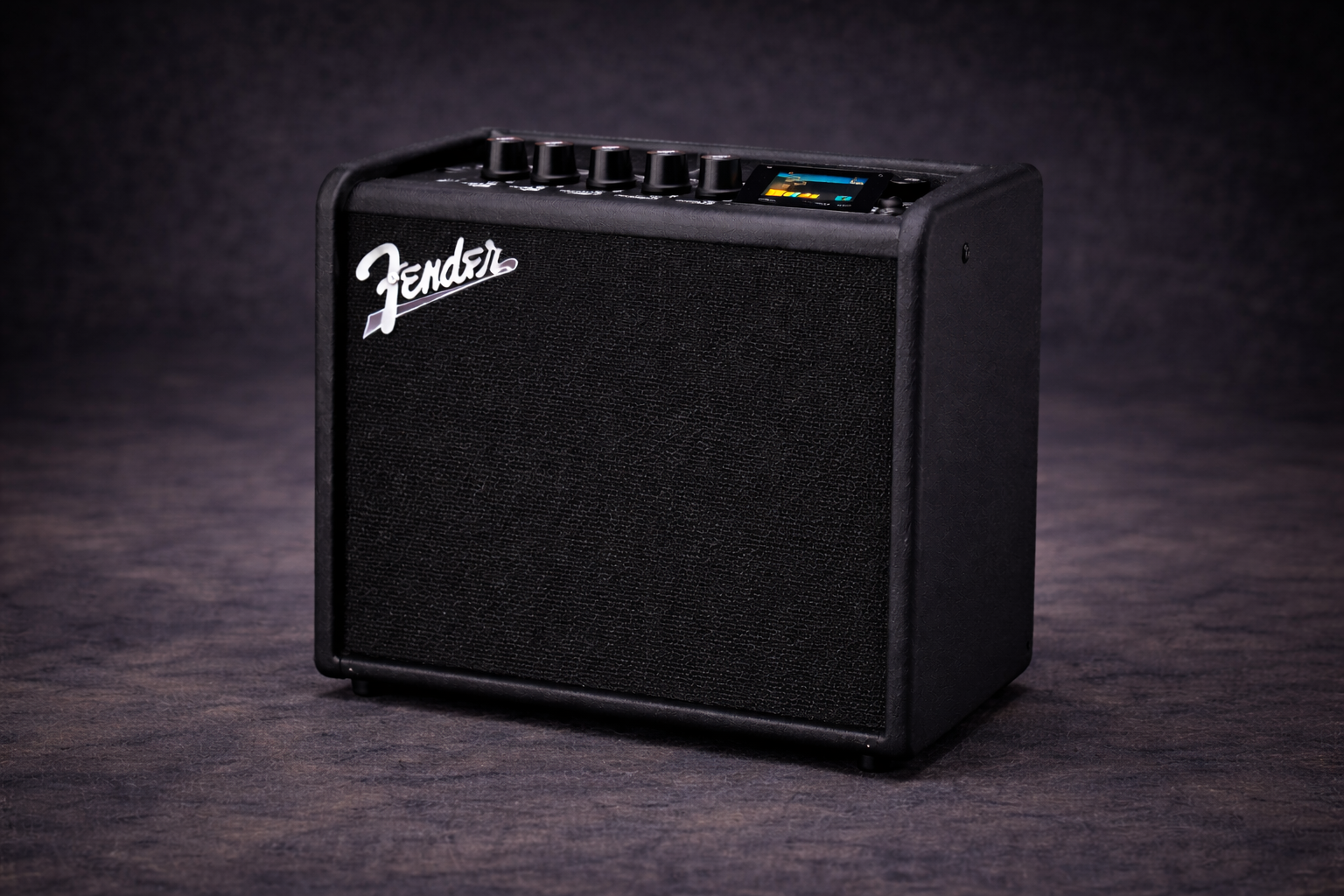
The Mustang LT25 looks like a scaled-down modern Fender combo: black vinyl, black grille cloth, and a simple top panel. It is small enough to live on a desk or beside a couch, but still feels like a “real amp” rather than a Bluetooth speaker with a guitar jack.
The enclosure is wood, not plastic, which helps the low end feel a bit more solid than on ultra-tiny boxes. The knobs have a clean, modern feel; nothing feels luxury, but nothing feels toy-like either. For the price bracket, it is more than acceptable.
The top panel is laid out sensibly: physical knobs for the basics, a 1.8″ color display for deeper edits, and four utility buttons (back, save, menu, tap/tuner). You can navigate presets and edit sounds from the amp alone without feeling like you are fighting a menu system.
Interface & Workflow
Fender clearly tried to keep the workflow simple. Out of the box you get 30 numbered presets. The encoder scrolls through them; any preset can be edited and saved in place or moved. Presets combine an amp model with up to four effect blocks (stomp, mod, delay, reverb).
- Editing: press the encoder to dive into the chain, choose the amp or any effect block, tweak parameters, save. Once you get the logic, it is fast.
- Tuner: accessed via the tap button; basic but accurate enough for practice and rehearsal.
- Fender Tone desktop app: if you prefer doing edits on a bigger screen, the app lets you rename, back up and rearrange presets more comfortably.
Compared to deeper modelers, the LT25 is intentionally limited, but that is part of the charm: you get enough control to shape useful tones without disappearing into submenus for hours.
Sound: Amp Models, Feel and Volume Range
The core sound of the Mustang LT25 is driven by Fender’s latest Mustang modeling platform. You get classic Fender-style cleans, British crunch flavours and several modern high-gain options, plus a handful of specialty tones.
Clean tones
The clean models are where the LT25 feels most natural. They have that familiar Fender shimmer, with a slightly scooped character that works well for chords and single-coil lines.
- With gain low and master up, you get a clear, open clean that takes light overdrive or compression well.
- Adding a small amount of room or plate reverb fills out the sound without drowning it.
Edge of breakup & classic crunch
Edge-of-breakup tones are one of the strong points. The amp reacts nicely to picking dynamics and your guitar’s volume knob as long as you keep the gain in the middle range.
- British-style models deliver a convincing classic rock rhythm sound with mids slightly pushed and bass kept under control.
- For blues/rock leads, the midrange focus helps notes stay audible even when you are not very loud.
High-gain sounds
The LT25 can do modern rock and lighter metal, but its 8″ speaker and power section are not built for constant extreme gain. With careful EQ, you can get tight enough rhythm tones for practice, but this is not the ideal choice if your entire world is chugs and djent.
- Medium-high gain with a bit of mid boost works better than scooped “thrash” settings, especially at lower volumes.
- If you use very low tunings and expect huge low end, you will hit the limits of the small speaker fairly quickly.
If you find any small amp harsh or boxy at low volume, this article helps a lot: low volume guitar tone.
Presets: What Works and What to Ignore
The factory presets are a mixed bag, which is normal for digital amps. Some are genuinely useful “plug in and play” tones, others feel more like effect demos.
- Keep: several clean, blues and low-gain rock presets are great starting points once you tame the reverb and delay levels.
- Skip or tame: the extreme ambient patches, heavy modulation stacks and very scooped metal presets are fun for five minutes but not ideal as main sounds.
The upside is that editing is quick. Small moves—less gain, more mids, shorter reverb tails—turn many presets into practical, everyday sounds. If you use the Fender Tone desktop app, building and managing your own library becomes even easier.
USB Recording & Desktop Use
One of the big advantages of the Mustang LT25 over purely analog practice amps is the built-in USB audio interface. Plug a cable from the amp to your computer, select it in your DAW, and you can record without miking a speaker.
- Demo recording: for writing riffs, capturing ideas and basic home demos, the direct sound is absolutely fine.
- Practice recording: tracking yourself over backing tracks is easy and very revealing for timing and phrasing.
- Limitations: if you want deep editing, dual-amp chains or IR swapping, a dedicated interface + high-end amp sim still wins—but that is another budget and workflow entirely.
If you are deciding between something like the LT25 and a pure plugin setup, it is worth reading the broader comparison here: practice amp vs amp sim vs multi-FX.
Volume Behaviour and Headphone Output
With 25W into an 8″ speaker, the LT25 has more headroom than tiny 3″ or 4″ micro amps, but it is still very much a small combo. It covers home practice, rehearsal with restrained drums or electronic kits, and small jam situations.
- Low volume feel: at modest levels the amp remains articulate if you keep gain and bass sensible. Scooped, heavy presets can feel thin; mid-forward tones hold together much better.
- Headphones: the dedicated headphone/line out is a big plus. Paired with a decent set of cans from our budget headphones guide, it becomes a very controlled, repeatable monitoring chain.
- Loud settings: turned up, the 8″ speaker will start to compress and lose some low-end definition. It is usable for small spaces but not built for very loud drummers.
Who the Fender Mustang LT25 Suits Best
The Mustang LT25 hits a sweet spot for players who want a single box that can cover practice, experimenting with tones and simple recording without going full modeler.
It is a strong fit if you:
- want clean, crunch and moderate gain sounds in one compact combo,
- appreciate the idea of presets but do not want a menu-heavy amp,
- like the idea of plugging into a DAW sometimes, but not all the time,
- need a headphone option but still care about how the speaker feels in the room.
It is less ideal if you:
- focus almost exclusively on tight, modern high-gain tones,
- want a very loud amp for full live drums on stage,
- know you want a deep modeler with complex routing and IR management from day one.
Pros and Cons
Pros
- Versatile modeling engine with usable cleans, crunch and rock tones
- Simple front panel and small color screen make editing surprisingly painless
- USB audio for quick, direct recording into a DAW
- Headphone output and aux in for quiet practice and play-along tracks
- 8″ speaker gives more body than tiny micro amps without becoming bulky
- Fender Tone desktop app support for easier preset management
Cons
- Factory presets are uneven and often need taming
- Not voiced as an extreme high-gain specialist
- Small speaker and power section have limits with loud acoustic drums
- USB section is convenient but not as flexible as a dedicated audio interface
Alternatives to Check Out
If the Mustang LT25 is on your radar, these amps and rigs will almost certainly show up in the same search:
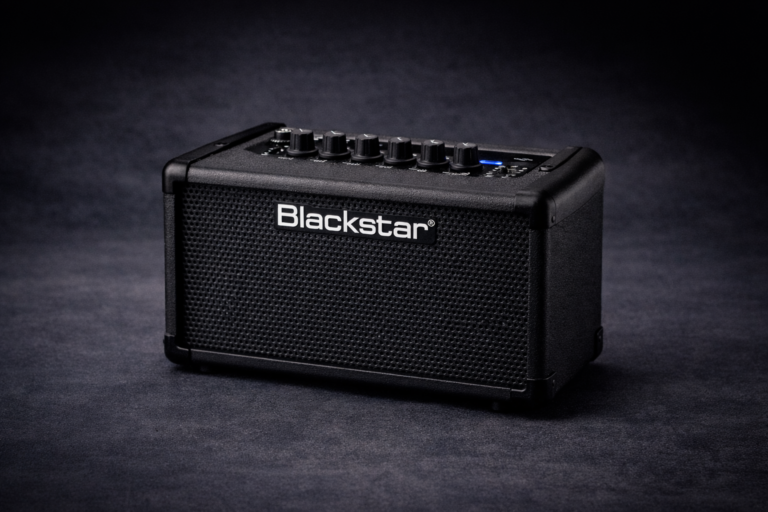
- Blackstar ID:Core 10 V4: stereo 2×3″ combo with wide, immersive sound and very friendly headphone tones. Great if you like spacious cleans and ambient playing. Detailed review here: Blackstar ID:Core 10 V4 review.
- Hotone Pulze: compact desktop amp/interface with a more “hi-fi” approach, deep editing and strong integration with software. See the full write-up in the Hotone Pulze review once it is live.
- Small modeler + monitors or headphones: if you are already thinking long-term about gigs and different venues, a compact modeler can be a flexible hub. The trade-offs are discussed in detail in practice amp vs amp sim vs multi-FX.
Verdict: A Sensible, Modern Take on the Small Combo
The Fender Mustang LT25 is not the most dramatic or hyped piece of gear on the internet, but that is exactly why it works. It delivers a broad range of usable tones, a straightforward interface, and built-in recording without demanding that you rewire your entire rig or learn a complex ecosystem.
If you want a compact combo that can live next to your main guitar, cover everything from clean practice to rock rehearsals, and occasionally plug into a DAW, the LT25 deserves a serious look. It will not replace a full modeler or a big valve stack, but as a practical, modern small amp it does its job well and gets out of the way so you can actually play.
FAQ
Is the Fender Mustang LT25 loud enough for rehearsals?
For restrained rehearsals, lighter drummers or electronic kits, yes. For full-volume rock drummers in small rooms, it will run out of headroom faster than a bigger 1×12″ or 2×12″ combo.
Can I record directly with the Mustang LT25?
Yes. The built-in USB audio lets you send signal straight to your DAW without a separate interface. For writing, practicing with backing tracks and basic demos, it works very well.
Does it take external pedals well?
Simple drives, boosts and modulation pedals work fine in front of the LT25, especially when you use a cleaner amp model. But many players will be happy with the onboard effects and not need a full pedalboard.
Is the Mustang LT25 a good first amp?
For a lot of players, yes. It combines practice features, a wide tone range and recording in one box. Pair it with a comfortable entry-level guitar from electric guitars under $300 and you have a solid starter setup.
How does it compare to an amp sim rig?
Amp sims offer more extreme flexibility and deep editing, especially for studio work. The LT25 wins on immediacy and simplicity: you flip the switch, pick a preset, tweak a couple of knobs and you are playing. For the full picture, check the dedicated practice amp vs amp sim vs multi-FX guide.