What Does a Delay Pedal Do? How to Use a Guitar Delay Pedal (Simple Settings)
If you’ve ever wondered “what does a delay pedal do?”, the short answer is that it repeats what you played – but how tight, big, or subtle it feels depends entirely on how you set it.
In a real guitar rig, delay isn’t just “echo.” It can make single-note lines feel wider, help solos sit on top of the mix, or quietly thicken up clean chords. This guide breaks down what’s actually happening, how the main controls interact, and how to use a delay pedal at normal home volume instead of turning everything into a blur.
The approach here comes from real home and rehearsal use: simple, repeatable moves you can test on a small combo, a modeler, or an amp sim without needing studio gear or advanced theory.
Think of delay in layers: first your dry tone, then how far apart the repeats are, then how loud and how many of those repeats you want in the background. Once those three are under control, the pedal stops feeling random and starts feeling like part of your playing.
If you want one simple answer:
- Best “always on” move: short delay time, low Mix, low repeats – a subtle thickener for clean and edge-of-breakup tones.
- Best lead delay move: one clear repeat plus a quieter second repeat, Mix below 30%, time locked to the song’s pulse.
- Best “fix everything faster” move: start from a neutral EQ baseline and tweak delay in small moves using a reference like a guitar EQ cheat sheet.
If you’re building your first pedal setup (and want to see where delay sits next to the basics), start with the hub: guitar pedals for beginners.
60-second delay setup (table)
Use this when you want a fast, repeatable starting point. It works on most rigs because it puts the “big levers” in the right order: baseline first, then Delay Time, then Mix, then repeats.
| Step | Set this | Listen for | Fast fix |
|---|---|---|---|
| Step 1 | Amp baseline (clean or edge-of-breakup) | Comfortable dry tone; no harshness or mud | Fix amp EQ first; don’t use delay to hide a bad baseline. If you want a quick reference for small, safe EQ moves, use the guitar EQ cheat sheet. |
| Step 2 | Delay Time (short 80–150 ms, medium 300–450 ms, long 500 ms+) | Repeats feel in time with your picking | Tap in the song’s pulse or pick a simple note value (slapback vs eighth-note). |
| Step 3 | Mix / Level (how loud the repeats are) | Dry note stays on top of the repeats | If the repeats compete with the dry signal, lower Mix before anything else. |
| Step 4 | Feedback / Repeats (how many echoes) | Repeats fade naturally instead of looping forever | Too busy? Reduce repeats until the part feels clear again. |
10-second reality check: Play a simple riff, then stop. If the echoes keep going long after you’re silent, your Mix and repeats are too high for most band or home contexts.
What a delay pedal really does (and how does a delay pedal work?)
A delay pedal records a tiny slice of your playing and plays it back later. The Delay Time decides how long it waits, Feedback decides how many times it repeats, and Mix decides how loud those repeats are compared to your dry signal. If you’ve ever typed “how does a delay pedal work” into a search bar, that’s the simple version: record → wait → replay → fade.
When people ask what does a delay pedal do, they usually want more than “it’s echo.” In a real rig, delay adds three things: depth (sense of space), rhythm (repeated pulses), and sustain (notes feel like they last longer without extra gain).
If you’re figuring out how to use a delay pedal, decide first: do you want subtle thickening, clear rhythmic repeats, or big ambient tails? The controls make more sense once that goal is clear.
Delay pedal basics: the stuff that matters
Delay is simple on paper, but small changes in settings change the feel a lot. These are the controls that matter most for guitar:
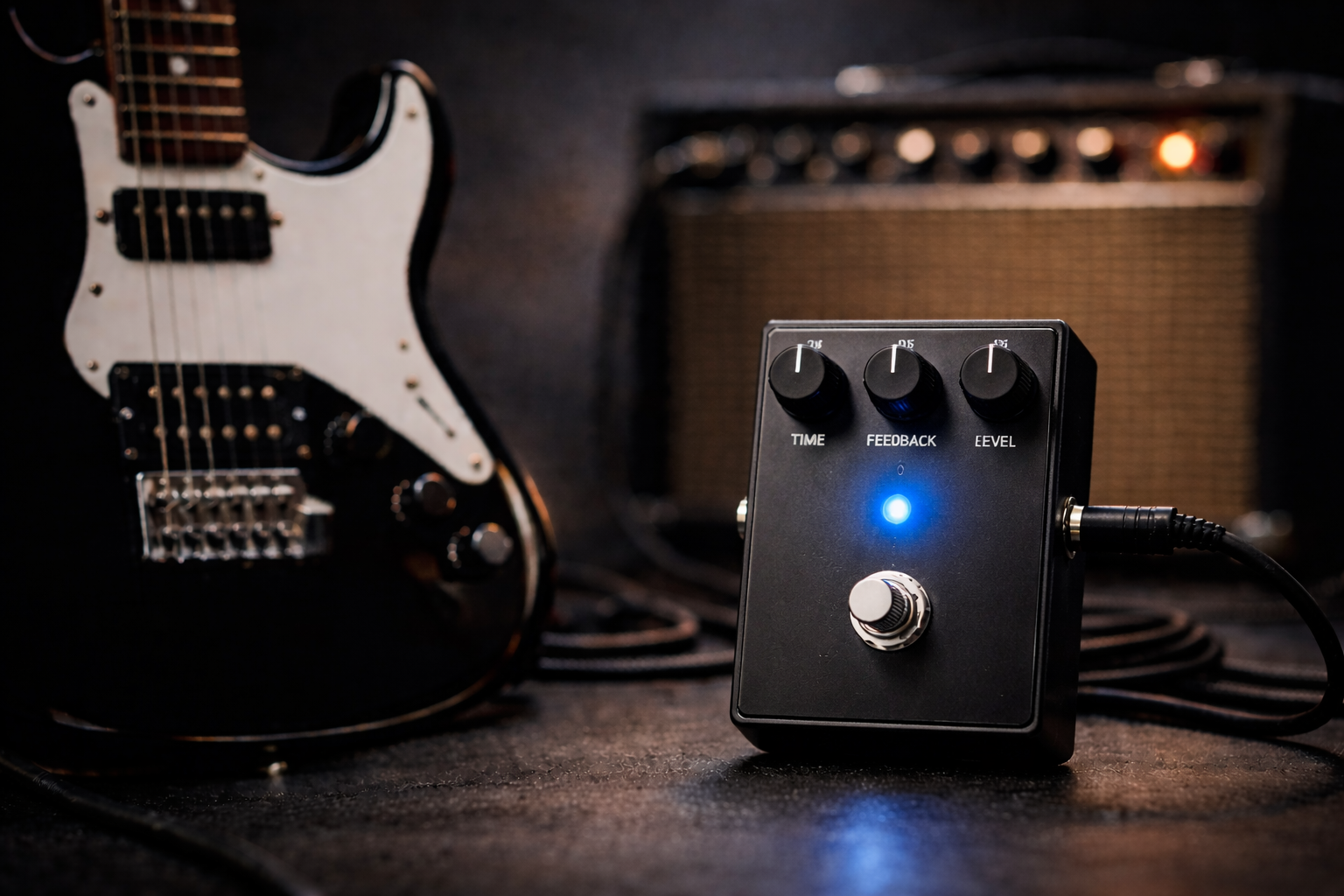
Delay Time (ms or note value)
Short times (80–150 ms) give slapback and feel almost like reverb. Medium times (300–450 ms) create classic rock and lead delays. Longer times (500 ms+) move into ambient and U2-style rhythmic parts.
Mix (or Level)
Mix controls how loud the repeats are compared to your dry note. For most guitar parts, the dry signal should stay on top; too much Mix and the repeats fight your original line.
Feedback / Repeats
Feedback decides how many repeats you get and how fast they fade. Low feedback = one or two supportive echoes. High feedback = big ambience or runaway self-oscillation if you push it far enough.
Tone / Filter (if present)
Some delays let you roll off highs or lows from the repeats. Darker repeats stay out of the way of your picking; brighter repeats are more obvious and rhythmic but can get harsh if overdone.
Quick test: if your picking feels like it’s fighting the echoes and the part gets messy, your delay time is probably too close to the notes you’re playing – go a bit shorter or lock it to a clear note value (eighth-note, dotted eighth, or simple slapback).
If you want a simple guitar delay pedal setup that works at home volume and answers the “how to use delay pedal guitar” question in practice, think in this order: baseline tone first, then delay time, then Mix, then repeats.
At a glance: time = spacing • mix = how loud the echoes are • feedback = how many • tone = how much they get out of the way.
Common delay pedal flavors (why they feel different)
Different guitar delay pedals are voiced and behave differently, even with similar controls.
Analog delay
Usually darker, softer repeats that sit behind your dry tone. Great for always-on fattening and old-school slapback.
Digital delay
Cleaner and more accurate repeats. Great for rhythmic parts and situations where you want the echoes to be clearly heard.
Tape-style delay
Emulates tape echo: slight modulation and gentle high-end roll-off. Feels alive and musical, especially for lead lines and ambient textures.
Multi / ambient delay
Can stack multiple delay lines, shimmer, or modulated tails. Great for worship/ambient styles, easy to overdo in a small room.
Quick takeaway: if you want subtle thickening, choose darker repeats; if you want clear rhythmic patterns, choose brighter, cleaner repeats.
How to choose a delay pedal
Choosing a delay pedal for electric guitar is mostly about how simple you want it to be and how you like your repeats to sit in the mix.
1) Decide what you actually need delay for
If delay is mostly for “a bit of space,” a simple analog or digital pedal with time/mix/feedback is enough. If you want dotted eighth rhythms, presets, and tempo sync, look for tap tempo and multiple modes. If you’re still building your core gain sounds, it helps to lock in the drive section first (so delay has a clean job to do). These are good building blocks: overdrive pedal explained, electric guitar distortion pedal, and how does a fuzz pedal work.
If you’re unsure what each gain type is doing to your attack and sustain (which matters a lot for how repeats “stack”), this comparison helps you pick the right foundation: overdrive vs distortion vs fuzz.
2) Think about your amp and gain
Clean or edge-of-breakup amps are very forgiving for delay. High-gain tones need lower Mix and fewer repeats, or everything turns to soup. If you already use a lot of gain, prioritize delays that stay clear and don’t add noise.
3) Placement: front of amp vs effects loop
In front of a clean amp, most delays behave fine. In front of heavy distortion they can smear a bit; putting delay in the effects loop keeps repeats clearer. If your amp has a loop, it’s worth trying both.
Practical rule: if in doubt, start with a simple delay that has time, mix, feedback, and (ideally) tap tempo. The fewer menus you fight, the more you actually play.
Dial-in method (works on most rigs)
These steps work whether you’re using analog, digital, or tape-style delay. The idea is to get a clear dry tone first at realistic home volume, then add only as much echo as you actually need.
- Set the amp baseline: get a comfortable clean or edge-of-breakup sound with no delay. This is what everything else will build on.
- Pick a rough time: for general playing, start around 350–450 ms or an eighth-note value. For slapback, go shorter (80–140 ms).
- Start with low Mix: set Mix so the repeats are clearly there but quieter than your dry signal.
- Add repeats until it feels alive: turn Feedback up until you hear 2–3 clear echoes, then stop.
- Clean up with Tone/Filter: if repeats are poking out, darken them; if they’re disappearing, brighten just a little.
- Final check in context: play with a simple drum loop or backing track. If your part gets lost, lower Mix or repeats before touching gain or EQ.
One sentence that saves time: if delay feels messy, lower Mix and repeats; if it feels lifeless, increase time or Feedback a little, not both.
When you’re unsure which EQ move is “neutral,” start from a simple baseline and change in small steps using a reference like the guitar EQ cheat sheet.
If you’re fighting the room or strict “apartment volume” limits, combine these steps with the dedicated low-volume guitar tone guide so the repeats stay clear without needing more volume.
Realistic starter settings (table)
Instead of random clock positions, these are simple presets based on how people actually use delay pedals at home. Land on the closest preset, then adjust by ear.
| Preset | Rig | Delay time | Mix | Feedback / repeats | Level |
|---|---|---|---|---|---|
| A | Clean amp, single-coil pickups | Short to medium (slapback → ~350 ms) | Low (subtle thickening, not obvious echo) | 2–3 repeats that fade quickly | Unity or tiny lift |
| B | Edge-of-breakup amp, general rhythm | Medium (around song tempo; eighth-note works well) | Low → mid (enough to hear, dry still on top) | 2–4 repeats, stop before it turns to wash | Unity or slightly above |
| C | Lead tones / ambient swells | Medium to long (400–600 ms or dotted eighth) | Mid (clear repeats, but not as loud as dry) | 4–6 repeats, tuned so tails die before the next phrase | Small lift if needed for solos |
Preset watch-outs:
- A: if it sounds more like reverb than delay, time may be too short or repeats too low – adjust by taste.
- B: if strumming gets blurry, lower Mix or repeats; don’t just shorten the time.
- C: if your lead tone disappears in a mix, reduce Mix first, then shave repeats.
Fix common delay problems
Problem: everything sounds washed out
First move: lower Mix and Feedback.
- Turn Feedback down until you hear no more than 2–3 repeats.
- Lower Mix until your dry note clearly leads the sound.
- If you have a Tone/Filter, darken the repeats a bit.
Problem: delay is too loud or jumps out
First move: treat Mix and Level separately.
- Lower Mix so repeats sit behind your dry signal.
- Check the pedal’s overall Level/output – match unity with the pedal off.
- For solos, use a small Level lift rather than cranking Mix.
Problem: muddy / cluttered mix
First move: reduce repeats and avoid stacking too many time-based effects.
- Reduce Feedback so repeats fade quicker.
- If you’re using both delay and reverb, lower one of them – usually reverb first. For a deeper look at how they share space, see this side-by-side guide: delay and reverb pedal.
- If your sound already feels very wet, check how much your reverb pedal is doing before you add more delay.
- Try shorter delay times for rhythm parts; save long times for lead or sparse playing.
Problem: delay feels wrong in the chain
First move: try delay after drive; if your amp has an effects loop, test it there.
- General rule: tuner → drives (like overdrive, distortion, or fuzz) → delay → reverb.
- High-gain tones usually stay clearer with delay in the effects loop instead of in front.
- If the delay is reacting strangely to your picking, check if a buffer or boost in front of it is changing the feel.
If you’re troubleshooting how to use a delay pedal, the fastest win is almost always: less Mix, fewer repeats, and repeats that are slightly darker than your dry tone.
FAQ
What does a guitar delay pedal do compared to reverb?
A guitar delay pedal records your signal for a short time and plays it back as distinct repeats. So if you’re wondering what does a guitar delay pedal do that reverb doesn’t, the answer is clear rhythmic echoes and extra sustain, rather than a single cloud of ambience. If you want the practical, “when do I lower which one?” version, use the delay and reverb pedal comparison.
What does a delay pedal do for guitar?
A delay pedal records your signal for a short time and plays it back as repeats. For guitar, that means extra depth, rhythmic echoes, and a sense of sustain without cranking more gain.
How do you use a delay pedal without making a mess?
Start with moderate Delay Time, low Mix, and 2–3 repeats. Make sure your dry signal is always louder than the echoes, and use darker repeats if your rig is bright. If your baseline is fighting you at quiet volume, it’s often easier to fix the dry tone first with the low-volume guitar tone approach.
Where should I put a delay pedal in my signal chain?
Most players put delay after drive pedals and before reverb. If your amp has an effects loop, trying delay in the loop can keep repeats clearer with heavy gain.
Do I need a delay pedal if my amp has reverb?
Reverb gives a sense of space; delay gives distinct repeats. If you only need a bit of “room,” reverb might be enough. If you want rhythmic echoes or thicker leads, a delay pedal adds something different. (If you’re still learning what reverb controls actually do, this helps: what does a reverb pedal do.)
Is tap tempo necessary on a delay pedal?
Not mandatory, but very helpful if you play with backing tracks, a band, or lots of dotted-eighth / rhythmic parts. For simple slapback and subtle thickening, fixed-time delays are usually fine.
About this guide
- How it’s built: practical order (baseline → time → mix → repeats) plus fast checks (does the dry note stay on top, do the tails die in time).
- Experience behind it: shaped by common questions from beginners and home players about “what does a delay pedal do” and “how does a delay pedal work” and tested on clean platforms, edge-of-breakup amps, and higher-gain rigs (small combos, modelers, and amp sims).
- What we test while dialing in: chord clarity • how repeats sit against the dry note • whether lead lines stay defined • how delay behaves at realistic home volume.
- Who this is for: beginners and home players using clean platforms, edge-of-breakup rigs, or gainy amps that need clear repeats rather than a wall of mush.
- What it’s not: a “best delay pedal” ranking or brand-based comparison list; specific model recommendations belong in separate reviews.
- Last updated: 2026-01-02
If you’re building a full pedalboard and want to see where delay sits next to overdrive, distortion, fuzz, and modulation, use the hub: guitar pedals for beginners.