How to Get Good Guitar Tone at Low Volume
Getting a satisfying low volume guitar tone is harder than just turning up and letting the amp breathe. Your ears hear sound differently when it is quiet, speakers move less air, and distortion can turn fizzy and thin.
If your guitar suddenly sounds dull, harsh or fizzy as soon as you turn down and you are wondering why does my guitar sound bad at low volume, you are not alone. This guide is for home and apartment players who want tones that feel good under the fingers without upsetting neighbors or housemates. The goal is not a perfect studio mix, but a sound that keeps you practicing at bedroom levels.
In the sections below we look at the most common reasons quiet tones fall apart and the practical moves that make low volume playing feel and sound better on practice amps, modeling combos, amp sims and headphones.
Quick Wins for Better Low Volume Guitar Tone
If your tone currently feels harsh, weak, or fizzy, try these before anything else. These simple moves often fix the worst problems in a few minutes.
- Lower gain, raise volume slightly: most bedroom fizz comes from too much preamp gain and not enough master volume.
- Bring back the mids: scooped mids sound big for 10 seconds, then disappear. At low volume, mids are what you actually hear.
- High cut on amp sims/headphones: a gentle high cut around 8–12 kHz often removes harsh top-end and fizz instantly.
- Use a backing track: tones that sound massive alone can be thin and sharp when you play over music. Always test in context.
- Check your picking: very hard picking at low volume exaggerates attack and noise. Back off the right hand a little.
Starting EQ settings for low volume guitar tone
These are not magic numbers—just realistic starting points for common tones. Set them on your amp, modeler or amp sim, then make small moves by ear:
| Tone type | Gain | Bass | Mids | Treble / Extras |
|---|---|---|---|---|
| Clean / edge-of-breakup | Low; just before breakup | 11–12 o’clock | 12–2 o’clock | Treble at noon, small room/plate reverb, low mix |
| Crunch rhythm | Medium, slightly below your “fun” setting | 10–11 o’clock (tight low end) | 12–2 o’clock | Treble 11–12 o’clock, presence slightly below noon if harsh |
| High gain practice | Medium high, not max | Around 11 o’clock | Noon or above | Treble 11 o’clock or lower; on sims use HPF 90–120 Hz and high cut 7.5–10.5 kHz |
If you are still building your rig, start with practical tools: best practice amps under $200 and best budget headphones for guitar practice.
Why Does My Guitar Sound Bad at Low Volume?
At lower volumes, your ears become less sensitive to bass and extreme highs. The midrange seems more prominent, and you lose the physical “push” of air that makes guitar feel powerful. On top of that, small speakers in practice amps do not move as much, and power sections stay in their polite range instead of adding natural compression and warmth.
The fix is not to crank bass and treble until your tone looks like a smiley face on the EQ. The fix is to work with what speakers and headphones actually do at quiet levels: focus on mids, control high frequencies, and shape lows so they feel tight rather than boomy.
- Ear perception changes at low volume (less bass and extreme highs).
- Too much preamp gain with low master volume creates fizz and mush.
- Scooped mids and bright cabs disappear in a mix and feel thin alone.
- Rooms and placement can make small amps either boomy or hollow.
If everything sounds wrong even at sensible settings, there may be deeper issues with your gear or room. In that case, this guide pairs well with our full guide on why your guitar sounds bad at home and how to fix it.
Know Your Rig: Different Setups Behave Differently
“Low volume” is not one single situation. The way you approach tone depends on what you are playing through.
- Small solid-state practice amp: simple, plug-and-play, often a single small speaker. Great for quick practice but easy to make harsh.
- Digital modeling / smart amp: more tones, built-in effects, sometimes better cabinet emulation and headphone outs.
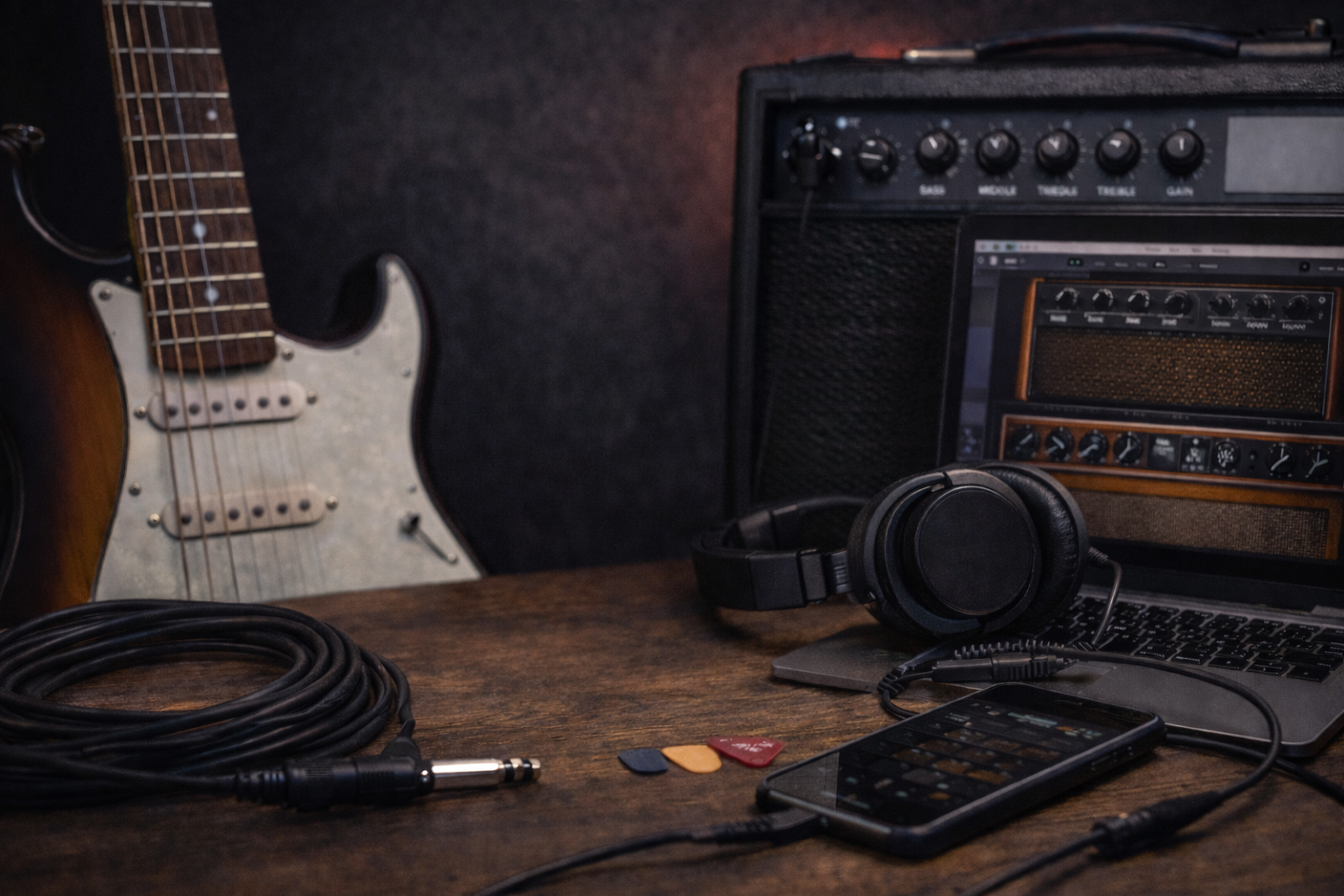
- Amp sims on a computer: huge flexibility, but totally dependent on cab/IR choice, EQ, and headphones or monitors.
- Headphones vs speakers: headphones give detail but exaggerate highs and pick noise; speakers are more forgiving but room-dependent.
The rest of this guide gives you a practical path for each of these, plus a general low volume workflow you can adapt to any rig.
How this guide helps you dial in your sound: each section focuses on one type of rig and walks through simple moves you can save as presets. Use it as a reference whenever your home tone feels off and you want a quick, repeatable fix instead of guessing.
Core Moves for a Better Low Volume Guitar Tone
Before diving into specific setups, here are the universal moves that improve quiet guitar tone in most situations. These are the first habits to build if you want your home practice sound to feel more like a real rig.
1. Gain and master balance
- Use less preamp gain than you would live.
- Raise the overall level until the amp or model feels alive but still safe for the room.
- Too much gain at very low master levels turns into fizz and mush.
2. Mids first, bass and treble second
- Set mids to a healthy starting point (often around noon or slightly above on many amps).
- Only scoop if you know why; otherwise keep mids present so you can hear yourself clearly.
- Use bass to add weight, not to fake “loudness.”
3. High-pass and high cut (especially for amp sims)
- High-pass around 80–120 Hz to remove rumble and flub.
- High cut around 8–12 kHz to tame fizz and harsh top-end.
- For high gain, you can go even lower on the high cut (7.5–10.5 kHz) if it is still spiky.
For a deeper dive into EQ moves and frequency ranges, see the dedicated guitar EQ guide.
4. Speaker and cabinet choices
- On real amps, remember that a 6.5″ or 8″ speaker will never feel like a 12″ cab, but you can still get usable punch and clarity.
- On amp sims, cab/IR choice can completely change the tone. A darker IR can be smoother than trying to fix a harsh IR with EQ alone.
5. Pick attack and dynamics
- At low volume, stiff picking and heavy right-hand attack can sound like pure noise.
- Experiment with slightly lighter picking, more controlled muting, and a pick that feels comfortable instead of super stiff.
How to Get Good Tone on a Practice Amp at Low Volume
Practice amps are built to sound decent at modest levels, but they have limits. You cannot force a tiny speaker to feel like a dimed half stack—but you can make it inspiring.
Suggested starting point for clean and edge of breakup
If you want to know how to get a good clean guitar tone from a small combo in a bedroom, start here and tweak by ear:
- Channel: clean or low-gain
- Gain: low to medium (noon or below)
- Bass: just under noon
- Mids: noon to 2 o’clock
- Treble: around noon; only raise if it sounds dull
- Master/volume: as loud as the room comfortably allows
If it still feels thin, do not just crank bass. Try a slight mid boost first, then a small bass increase.
Suggested starting point for crunchy rhythm
- Channel: crunch/overdrive
- Gain: slightly lower than you think you need
- Bass: below noon to keep low end tight
- Mids: noon or above for clarity
- Treble: noon or slightly below if harsh
Using the headphone out
Many digital practice amps sound better at truly low volume through their headphone output than through the tiny built-in speaker. If you can, try a good pair of closed-back or semi-open cans from our budget headphones guide and see if the tone feels more solid and full.
How to Get Good Tone on Modeling / Smart Amps at Low Volume
Modeling amps often give you more control over cab sims, presence, and deeper parameters. That is powerful—but easy to overdo.
Keep the signal chain simple
- Start with one amp model you like and one cab model that is not overly bright.
- Turn off unused effects (big reverbs and delays can make bedroom tone wash out).
- Use the global EQ if the amp offers it, treating it like a final polish.
Presence vs treble
- Presence usually lives later in the chain and changes upper highs and attack.
- If your tone is shrill, lower presence first, then adjust treble.
Bedroom presets vs live presets
A preset that feels huge in headphones at low volume will often be too dark and boomy live, and the opposite is also true. Save specific “low volume” presets with slightly:
- less gain
- more mids
- tighter bass
- controlled highs (presence and high cut)
How to Get Good Tone on Guitar with Amp Sims and Headphones
Amp sims are perfect for silent practice, but unforgiving. You hear every pick scrape and fizz up close.
Build a clean signal chain
- Guitar → audio interface → amp sim → cab/IR → EQ → headphones/monitors.
- Make sure an appropriate cab or IR is always active—no “amp head direct to headphones.”
Cab/IR first, then EQ
- Try a few different cabs or IRs before reaching for EQ. A slightly darker IR usually beats a harsh IR with extreme EQ moves.
- Once the cab feels close, apply a high-pass and high cut to remove rumble and fizz.
Headphone expectations
- Closed-back headphones isolate well but can exaggerate upper mids.
- Open or semi-open designs often feel more “amp-like” but leak sound.
- Whichever you use, treat them as a specific listening environment and save presets tailored to them.
If you want to tune your amp-sim tone more precisely, follow the step-by-step workflow in the guitar EQ guide.
Making Low Volume Tone Feel Good to Play
A technically “good” tone can still feel lifeless if it does not respond to your playing. At low volume, feel often needs extra attention, especially when you are working on your tone without turning up.
Compression in small doses
- For clean tones, a subtle compressor before or after the amp model can make the guitar feel more consistent and less spiky.
- Avoid extreme sustain settings that flatten all dynamics.
Noise gates and muting
- A gentle noise gate can tidy up hiss at high gain, but too much will choke sustain.
- Good muting with both hands is still the main solution; gates should support, not replace, technique.
Reverb and delay for space
- Use a small room or plate reverb for a sense of space without washing out details.
- Short delays at low mix levels can add width without clutter.
- Huge ambient patches at bedroom volume can be fun, but they hide timing mistakes and pick noise under a cloud.
Common Low Volume Problems and How to Fix Them
Problem: Thin, weak tone
- Reduce treble and presence slightly.
- Add a small boost in low mids (around 250–500 Hz) instead of just turning up bass.
- Lower gain a bit and raise overall volume if possible.
Problem: Harsh highs that hurt your ears
- On amps: lower presence first, then treble.
- On sims: apply a high cut around 8–12 kHz and check your cab/IR.
- Try a slightly darker pickup position (neck or middle instead of only bridge).
Problem: Fizzy distortion
- Lower gain more than you think. Fizz often disappears when gain is under control.
- On sims: darker IR + high cut between 7.5–10.5 kHz.
- Check that no “bright” switches are engaged on both amp and cab at the same time.
Problem: Muddy chords and palm mutes
- Reduce bass; on sims apply a high-pass around 80–120 Hz.
- Cut a little around 150–220 Hz if the low end still feels woolly.
- Tighten your muting and palm-mute closer to the bridge.
Problem: Neighbors complain even when it seems quiet
- Floor and walls transmit bass more than you expect. Reduce low end on the amp and consider angling it away from shared walls.
- Use headphones more often for high-gain practice, and save a dedicated “night practice” preset.
- Shorter sessions with breaks can be easier to live with than one long loud block.
Problem / solution cheat sheet
Here is a quick overview of common low volume problems and the first fixes to try:
| Problem | Quick fixes |
|---|---|
| Thin, weak tone | Lower treble/presence a touch, add low mids (250–500 Hz), reduce gain slightly and raise master if you can. |
| Harsh highs | On amps lower presence first, then treble; on sims add a high cut around 8–12 kHz and check cab/IR choice. |
| Fizzy distortion | Back off gain more than you think, use a darker cab/IR, and make sure bright switches are not stacked. |
| Muddy chords and palm mutes | Reduce bass, high-pass around 80–120 Hz on sims, and tighten palm muting closer to the bridge. |
| Neighbors still hear you | Cut low end, turn the amp away from shared walls, use headphones more often and keep sessions shorter. |
Example Low Volume Guitar Tone Starting Points
Use these as templates and adjust by ear. All of them assume small speakers or headphones at modest volume and are meant to give you a quick, realistic starting point for home practice.
Clean / edge-of-breakup
- Gain: low; just before breakup if you pick hard.
- Bass: 11–12 o’clock.
- Mids: 12–2 o’clock.
- Treble: noon, adjust by taste.
- Reverb: small room or plate, low mix.
Crunch rhythm
- Gain: medium, slightly below your “fun” setting.
- Bass: 10–11 o’clock for tighter low end.
- Mids: 12–2 o’clock.
- Treble: 11–12 o’clock, presence slightly below noon if harsh.
High gain practice
- Gain: medium high, not max.
- Bass: around 11 o’clock.
- Mids: noon or above so riffs stay clear.
- Treble: 11 o’clock or lower if your rig is bright.
- On sims: high-pass 90–120 Hz, high cut 7.5–10.5 kHz.
Preset overview table
For a quick comparison, here is a compact view of the three starting tones:
| Tone type | Gain | Bass | Mids | Treble / Extras |
|---|---|---|---|---|
| Clean / edge-of-breakup | Low; just before breakup | 11–12 o’clock | 12–2 o’clock | Treble at noon, small room/plate reverb, low mix |
| Crunch rhythm | Medium, slightly below your “fun” setting | 10–11 o’clock | 12–2 o’clock | Treble 11–12 o’clock, presence slightly below noon if harsh |
| High gain practice | Medium high, not max | Around 11 o’clock | Noon or above | Treble 11 o’clock or lower; on sims use HPF 90–120 Hz and high cut 7.5–10.5 kHz |
Low Volume Guitar Tone Workflow Checklist
Use this simple workflow whenever you want a reliable low volume preset saved and ready to go.
- Pick one amp / model and one cab or IR.
- Set gain slightly lower than your instinct and raise master/overall volume.
- Dial in mids first, then bass, then treble.
- Add high-pass and high cut if you are on a modeler or amp sim.
- Play along with a backing track and make small tweaks.
- Save a dedicated “low volume guitar tone” preset so you can recall it instantly next time.
If you are building your whole practice rig from scratch, it helps to combine this workflow with the gear and routine ideas in the beginner guitar checklist.
Low Volume Guitar Tone: Key Takeaways
A satisfying low volume guitar tone comes from smart trade-offs: less gain, more mids, tighter bass, and tamed highs. Once your speakers or headphones are working with you instead of against you, the real focus can go back to playing.
Build one or two bedroom-friendly presets, save them, and spend your energy on riffs instead of endless knob-twisting. When you catch yourself thinking “why does my guitar sound bad at low volume?”, come back to these steps and adjust in small, deliberate moves.
Low Volume Guitar Tone FAQ
Why does my guitar sound bad at low volume?
At loud levels your ears hear more bass and treble, and the amp’s power section and speakers work harder. At bedroom volume you lose that natural fullness. You need more mids, less gain, and some EQ help to keep the tone balanced, especially on small speakers and headphones.
How do I get good tone on guitar at low volume?
Start by using less preamp gain, turning the master up to a comfortable level, and setting mids around noon or slightly above. Add bass until the tone has weight without booming, then trim treble and presence until the top-end feels smooth. Save this as a preset so your good low volume tone is always one button away.
Do I need a special “bedroom amp” for good low volume guitar tone?
Not necessarily. Many regular practice amps and modelers can sound good at low volume if you treat them right. The key is gain structure, midrange, and smart EQ, not just buying a smaller amp.
How do I get a good clean guitar tone at low volume?
Use a clean or low-gain channel with gain set just before breakup, mids around noon or higher, and bass slightly below noon to keep things tight. Add a small room or plate reverb at low mix and keep treble smooth rather than overly bright. The clean starting point in this guide is a good baseline.
How can I tell if my tone is actually good at low volume?
Play along with a backing track, record a short clip on your phone, and listen back later. If the guitar sits clearly without being harsh or muddy and you enjoy playing through it, you are on the right track.