MXR M300 Reverb Review: Six Great Sounds, No Menu Diving
This MXR M300 Reverb review starts with the reason the pedal still makes sense: it gives you six genuinely different reverb voices without turning a standard stompbox into a menu system.
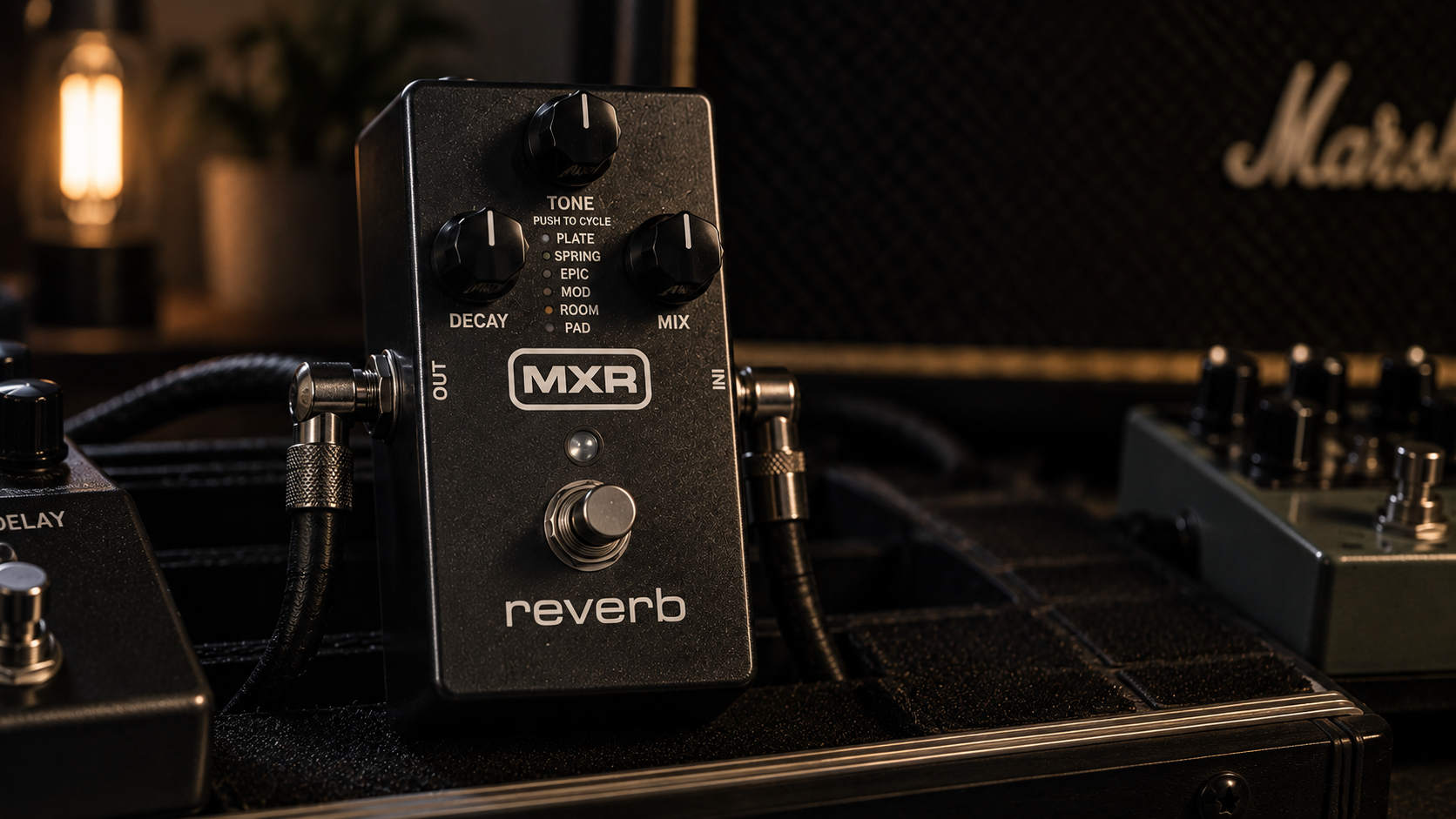
The M300 sits in an interesting middle ground. It is more flexible than a one-sound spring pedal, but much less demanding than a preset-heavy ambient workstation. Decay, Tone and Mix stay on the front panel, the Tone knob doubles as the mode selector, and the dry path remains analog. That makes it easy to treat the pedal like part of a normal guitar rig rather than a small computer at your feet.
The trade-off is just as clear. If you need presets, MIDI or deep per-algorithm editing, the MXR is intentionally limited. If you want a compact MXR reverb pedal that covers conventional rooms, plates and springs plus a few bigger textures, that limitation can be the appeal.
MXR M300 Reverb review: who should buy it?
| Your situation | Fit | Why |
|---|---|---|
| You want one compact reverb for normal guitar use. | Strong fit | Six modes cover the useful middle ground without menus. |
| You use stereo amps, modelers or an interface. | Strong fit | TRS stereo I/O gives the pedal more room to scale with the rig. |
| You need song-by-song presets or MIDI. | Weak fit | The M300 is deliberately knob-first and preset-free. |
| You only want one simple spring sound. | Mixed | A simpler pedal such as the Holy Grail Nano can make more sense. |
Pros and cons
- Six useful reverb styles in a standard MXR enclosure.
- Simple Decay, Tone and Mix workflow.
- 100% analog dry path and substantial headroom.
- Stereo capability through TRS connections.
- Expression input can morph between two knob configurations.
- Trails bypass is available when you want tails to decay naturally.
- No onboard presets or MIDI.
- Mode selection through the Tone knob is clever, but less obvious than a dedicated selector.
- 240 mA power requirement is higher than a basic analog pedal.
- Players who want deep ambient sound design will hit its control limits sooner than with Empress or Walrus options.
We approach reverb pedals like engineers rather than catalogue writers: signal path first, then algorithm range, control interaction, headroom, bypass behavior and how easily useful settings survive a change of guitar or amp. Hard specifications are cross-checked against MXR’s current M300 documentation, while manufacturer demos, reputable demonstrations and short shop or demo-room checks when a unit is available help separate repeatable behavior from one rig’s quirks. We do not turn a few minutes of hands-on time into claims of long-term ownership.
MXR M300 specs and controls: simple on purpose
| Reverb styles | Six |
|---|---|
| Controls | Decay, Tone / mode select, Mix |
| Dry path | 100% analog |
| Stereo | Stereo in/out via TRS |
| Expression | Yes |
| Trails | Available |
| Power | 9V DC, 240 mA; no battery |
The M300’s 20-volt internal headroom architecture is one of those specifications that matters more than it looks. Reverb sits late in many pedalboards, where it may receive a boosted or already processed signal. Extra headroom reduces the chance that the reverb stage becomes the accidental clipping point.
MXR reverb pedal modes: where the range actually comes from
The six modes cover both conventional ambience and more obvious effects. The important point is not that there are six labels; it is that the pedal moves from subtle support to clearly audible texture without changing the basic control workflow.
Room and Plate
These are the safest starting points if you want the pedal to make a dry guitar feel finished without sounding like “an effect.” Shorter decay and modest Mix keep rhythm parts readable. Plate is especially useful when you want a smoother tail around leads without the bounce of a spring algorithm.
Spring
Spring gives the M300 its amp-style lane. It is the mode to compare with simpler choices such as the Holy Grail Nano. If spring is 90% of what you use, the simpler EHX can be the cleaner purchase. If spring is one sound among several, the M300 is the more flexible tool.
Epic and Mod
These move further into large-space and modulated territory. They work better when you want the reverb itself to be part of the arrangement rather than invisible ambience. Keep Mix lower for normal rhythm work; increase Decay and Mix when the tail is supposed to become part of the phrase.
Pad
Pad is the most obviously textural mode, with the Tone control taking on an octave-blend role. It gives the M300 an ambient ceiling that basic spring/plate pedals do not have, although a purpose-built ambient pedal such as the Walrus Slö still goes further into sustained sound design.
If the difference between room, hall, spring and plate still feels abstract, our reverb pedal explainer covers what those spaces are doing in a guitar rig.
MXR M300 settings that make sense as starting points
Always-on room
- Mode: Room
- Decay: low to medium
- Tone: near noon
- Mix: low
The goal is to notice the pedal more when you turn it off than while it is on.
Lead plate
- Mode: Plate
- Decay: medium
- Tone: adjust around the amp’s brightness
- Mix: low to medium
Enough tail to widen single-note lines without smearing fast phrases.
Ambient pad
- Mode: Pad
- Decay: high
- Tone: use as octave blend
- Mix: medium or higher
This is the setting where leaving normal “always-on reverb” logic behind makes sense.
Stereo and expression: the features that keep the M300 from being basic
On a mono combo, the M300 behaves like a straightforward compact reverb. With a stereo modeler, dual-amp setup or recording interface, the stereo path becomes more valuable because ambience can spread instead of stacking directly behind the dry signal.
The expression jack is the other hidden strength. Instead of controlling one fixed parameter, an expression pedal can move between two complete knob configurations. That means one foot movement can increase Mix, lengthen Decay and alter Tone together. For live ambient transitions, that is more useful than a basic one-parameter expression assignment.
Home, rehearsal and recording
At home
The M300 is easy to overuse because every mode sounds more impressive when Mix and Decay rise. At low volume, start drier than you think. If the dry tone already feels thin or harsh, fix that first with the bedroom guitar tone guide rather than using reverb as camouflage.
At rehearsal
Shorter decay and lower Mix usually translate better once drums and another instrument occupy the room. Reverb that feels small alone often sits correctly in a band. If you also use delay, the default chain in our delay and reverb order guide is a good place to start.
Recording
The analog dry path and stereo option make the M300 easy to integrate without forcing every track into a huge printed effect. It is still worth recording conservatively if you are unsure; reverb can always be added later, while a printed wash is harder to remove.
MXR M300 vs the obvious alternatives
- Want more modes, presets and MIDI? The Empress Reverb is the bigger system.
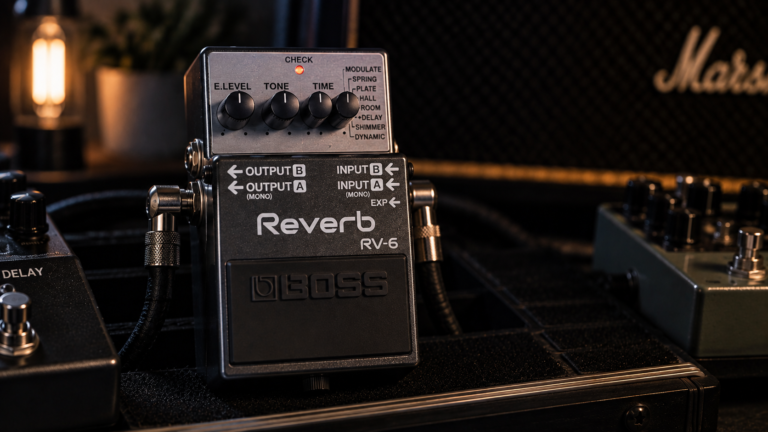
- Want a safer all-rounder in the familiar Boss format? See our Boss RV-6 review.
- Want TonePrint customization and MASH? The Hall of Fame 2 makes more sense.
- Want ambient texture more than conventional room/plate sounds? Start with the Walrus Slö review.
For the wider category, use the best reverb pedal guide.
Is the MXR M300 Reverb worth it?
The key decision is whether you value immediacy more than memory. If you want to reach down, move three knobs and understand exactly what changed, the M300 remains a strong design. If your set depends on recalling many exact sounds, step up to a preset-based platform instead.
MXR M300 Reverb FAQ
Is the MXR M300 stereo?
Yes. It supports stereo input and output through TRS connections.
Does the MXR Reverb have trails?
Yes. Trails bypass mode lets the reverb decay continue after bypass instead of cutting off immediately.
Can the M300 use an expression pedal?
Yes. The expression input can morph between two complete knob configurations rather than controlling only one fixed parameter.
Can the MXR M300 run on a battery?
No. MXR specifies 9V DC power at 240 mA and does not support battery operation.
Is the M300 good for ambient guitar?
Yes, especially with Epic, Mod and Pad modes, but players who need presets or deeper ambient control may prefer a more specialized reverb platform.