TC Electronic Flashback 2 Mini Review: Big Delay Sounds on a Tiny Board
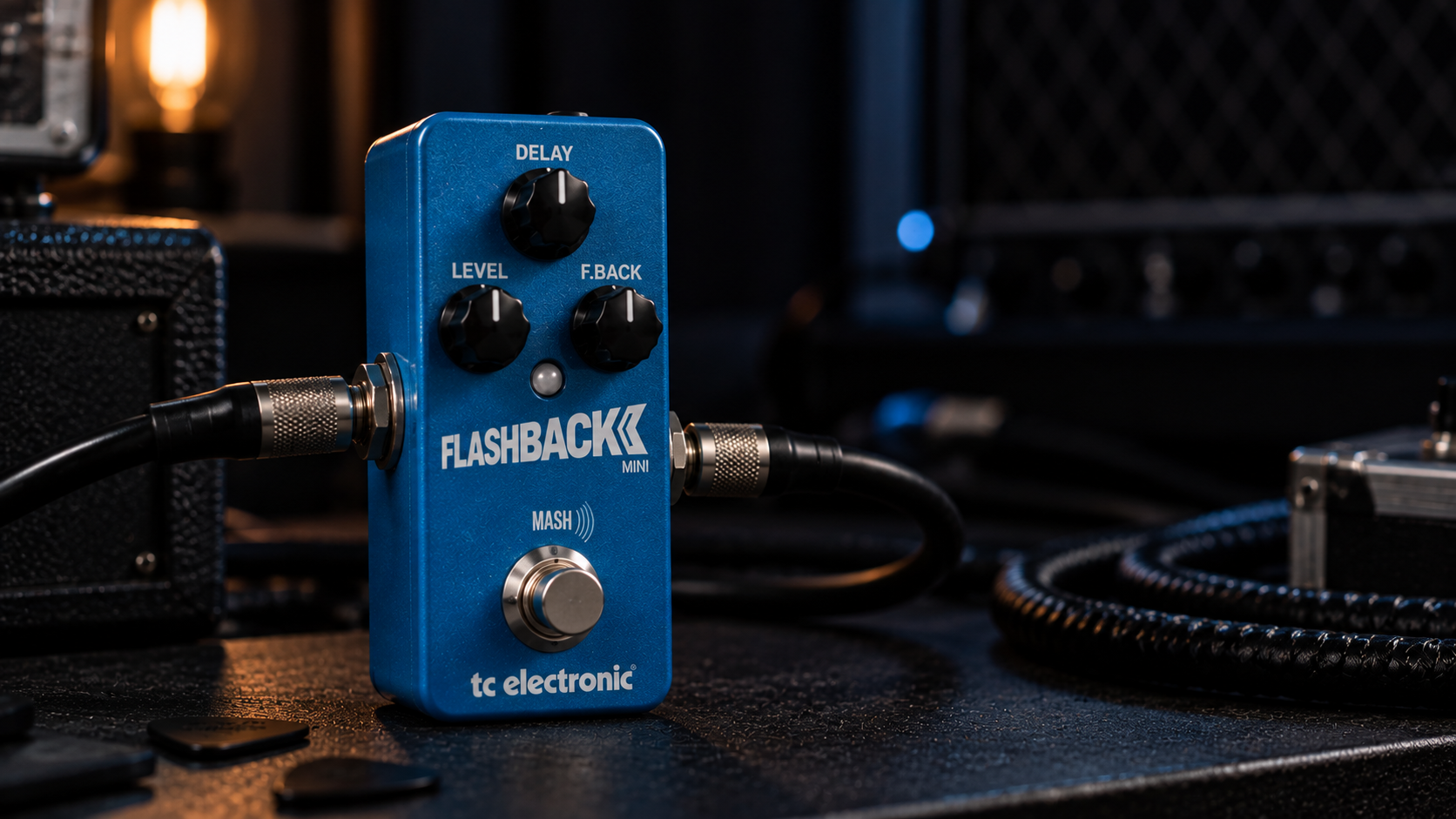
The Flashback 2 Mini saves space by moving choices out of the enclosure. Three knobs and one footswitch handle the sound on the board; delay identity, deeper filtering, modulation, subdivisions and control behavior live in TonePrint.
Its best role is one deliberately configured sound that stays in place. Changing delay types frequently asks you to return to software, turning hidden flexibility into friction. The deciding question is whether you want those choices on the pedal or in an editor.
MASH and configurable tap behavior add control, but one mini footswitch is not a complete live workstation. The Mini is strongest as one customizable delay at a time, not as a floor-accessible library.
Flashback 2 Mini review: who should buy it?
Buy it if…
- Pedalboard space is genuinely limited.
- You want to design or download one main delay and keep it loaded.
- TonePrint editing is acceptable and possibly enjoyable.
- Mono operation is enough for the current rig.
Skip it if…
- You need visible access to multiple delay modes from the pedal.
- Stereo input/output is part of your setup.
- Several foot-recallable presets are required.
- You want tap tempo and bypass on separate dedicated switches.
Pros and cons
| What works | What you give up |
|---|---|
|
|
What fits on the Mini and what moves to TonePrint
| Area | What it means in a real rig |
|---|---|
| Visible controls | Delay time, Feedback and Effect Level. |
| TonePrint | Delay type and advanced parameters can be loaded or edited outside the pedal. |
| MASH | Pressure-sensitive switch can control assigned parameters. |
| Tap workflow | Tempo behavior can be configured, but the single-switch format imposes compromises. |
| Routing | One mono input and one mono output. |
| Power | 9V center-negative external supply; compact format does not prioritize battery use. |
Small hardware, large invisible control surface
The three knobs make normal corrections easy: shorten time, reduce repeats or lower the wet level. Everything that defines the deeper personality of the delay may be inside the loaded TonePrint. That separation keeps the pedal clean, but it also means you must remember what was programmed.
For a fixed board this is efficient. For borrowed backlines, changing projects or constant experimentation, it can be harder to understand at a glance than a larger pedal with a mode selector.
One excellent sound beats twenty forgotten downloads
TonePrint is most effective when used to build a stable job: a warm lead delay, a filtered dotted-eighth rhythm or a modulated ambient trail. Once the sound works with your amp and guitar, stop browsing.
The mini format becomes frustrating when it is treated as a library. Loading different sounds repeatedly removes the immediacy that a stompbox is supposed to provide.
MASH and tap tempo share the same physical reality
A pressure-sensitive switch can create swells, increase feedback or alter the wet level, and that is impressive in this footprint. It still requires controlled pressure on a small pedal.
Likewise, tempo features are possible, but players who synchronize delay constantly may prefer a dedicated tap switch. Compactness saves board space by asking one control to do more work.
Building the TonePrint around pickups, gain and the amp
The Flashback 2 Mini has only one loaded delay identity at a time, so that sound should accommodate the rig’s natural weaknesses. A bright single-coil guitar through a clean combo often benefits from a TonePrint with softened top end and light modulation. That creates depth without placing a sharp copy behind every picked note. A darker humbucker rig needs more repeat definition. Choose less filtering, fewer repeats and enough first-repeat level to remain audible without raising the entire wet tail.
For high-gain playing, the useful customizations are usually unglamorous: high-cut filtering, controlled feedback and a wet level that stays well below the dry signal. Distorted guitars already sustain, so long feedback does not automatically create a better lead sound. It often creates a dense layer that weakens muting and rhythmic stops. Clean rhythmic parts can tolerate brighter repeats and more exact subdivisions because the source leaves more space.
Placement should be decided before the TonePrint is finalized. After drive pedals, the Mini repeats the finished tone; before them, the repeats are clipped and compressed again. If the amplifier preamp provides heavy distortion, build and test the TonePrint in the effects loop rather than programming it through a clean desktop setup and expecting identical behavior later. The advantage of deep editing is precision, but that precision only matters when the pedal is configured in the same signal chain, volume range and pickup position in which it will actually be used.
Design one TonePrint around the board, not around the app
The most useful way to configure the Flashback 2 Mini is to begin with the physical board. Decide what comes before it, whether the amp is clean or driven, and whether the delay needs to cover rhythm, lead or general depth. Only then open TonePrint. The app should solve the filtering, modulation and subdivision needs created by that rig—not invite a search for the most dramatic preset.
Because the Mini has no visible mode label, document the loaded sound somewhere simple. A small note in a phone or board diagram is enough: “warm 420 ms lead, MASH raises feedback.” Months later, that sentence is more useful than remembering the artist name attached to a preset. It also prevents accidental replacement of a sound that already worked.
Physically, the Mini fits easily near the end of a compact guitar pedalboard. The small enclosure makes power and patch-cable direction important; bulky plugs can consume the space the mini format was meant to save. Use a stable isolated 9V output and test MASH access with the neighboring switches before fixing the final layout.
Flashback 2 Mini settings that make sense
These are starting points, not magic coordinates. Set the amp clean or only slightly breaking up, match the bypassed volume first, and adjust the mix in the room where you actually play.
| Use | Starting point | What to listen for |
|---|---|---|
| One-board lead sound | Warm/tape TonePrint; 350–450 ms; 3 repeats; low level | The sound should work across several songs without adjustment. |
| Rhythmic delay | Clean filtered TonePrint with chosen subdivision; feedback controlled | Each repeat should support the groove and remain audible with drums. |
| Ambient swell | Modulated TonePrint; longer time; MASH assigned to level/feedback | Pressure should add space without jumping directly into runaway oscillation. |
A fixed sound at home, rehearsal and recording
At home
The mini is excellent for a desk or compact practice board once one useful TonePrint is loaded. The temptation is spending more time editing than playing, so save a stable sound and test it across several practice sessions.
At rehearsal
Mono is often enough, but the one-switch workflow matters. If tempo changes every song, a larger pedal with dedicated tap access is easier. If one general delay stays on the board, the Mini disappears into the rig nicely.
Recording
TonePrint filtering and modulation can create a specific finished texture, though mono routing limits spatial options. Record dry or duplicate the track when wider stereo delay may be needed later.
What you gain and lose by shrinking the pedal
| Alternative | Choose it instead when… |
|---|---|
| Full-size Flashback 2 | You want stereo routing, visible mode selection and more immediate access to different sounds. |
| Boss DD-8 | You want a self-contained multi-mode pedal without depending on an editor. |
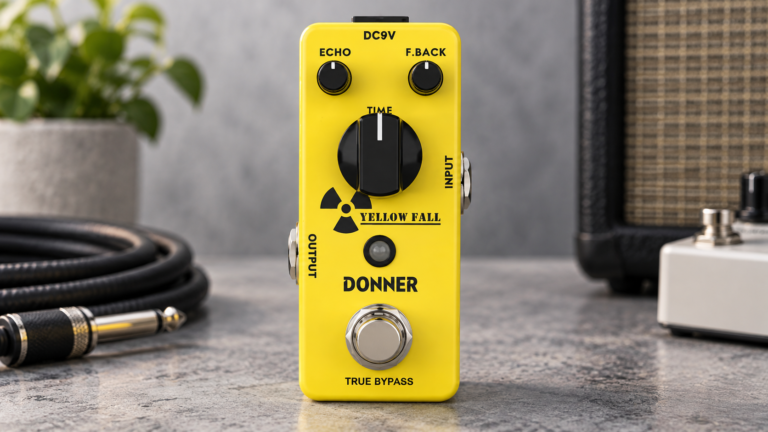
| Donner Yellow Fall | You want a cheaper, simpler warm delay and do not need deep customization. |
| A dedicated tap-tempo delay | Tempo synchronization is more important than saving the smallest possible amount of board space. |
Is the Flashback 2 Mini worth it?
The Flashback 2 Mini has a different role from a full-size multi-mode delay: configure the deeper sound elsewhere, then keep the hardware simple. That approach works when the board has one clearly defined delay job.
Skip it if delay variety needs to stay visible and instantly accessible. Choose it for one customizable sound in very little space, rather than for the appearance of a complete workstation on a feature list.
For the wider context, start with what a delay pedal actually does, compare the full shortlist in the best delay pedals for guitar, and use the delay and reverb pedal guide when placing it in a complete signal chain.
Flashback 2 Mini FAQ
Is the Flashback 2 Mini stereo?
No. The Mini uses mono input and output; choose the full-size Flashback 2 if stereo routing is required.
Can it work without the TonePrint app?
Yes, once a sound is loaded, the visible Delay, Feedback and Level controls work normally. The editor is needed to change deeper parameters and delay identity.
Does the Flashback 2 Mini have tap tempo?
Tap-style behavior can be configured, but the one-switch layout is less direct than a pedal with a dedicated tap switch.
What is the main difference from the full-size Flashback 2?
The full-size pedal offers stereo routing and direct mode access. The Mini saves space by moving more choices into TonePrint.